Variables and datasets
Before you start.
- You need a collection and at least one case (create a collection).
- Permissions: Update Collection for variables; Build Dataset and View Dataset for datasets (Permissions).
- The Datasets tab has no upload. Submit the file from Source → Submit to API test first (see Generate tests with chat, steps 1 to 3).
- A dataset fetched from a server needs an external source.
The Variables tab
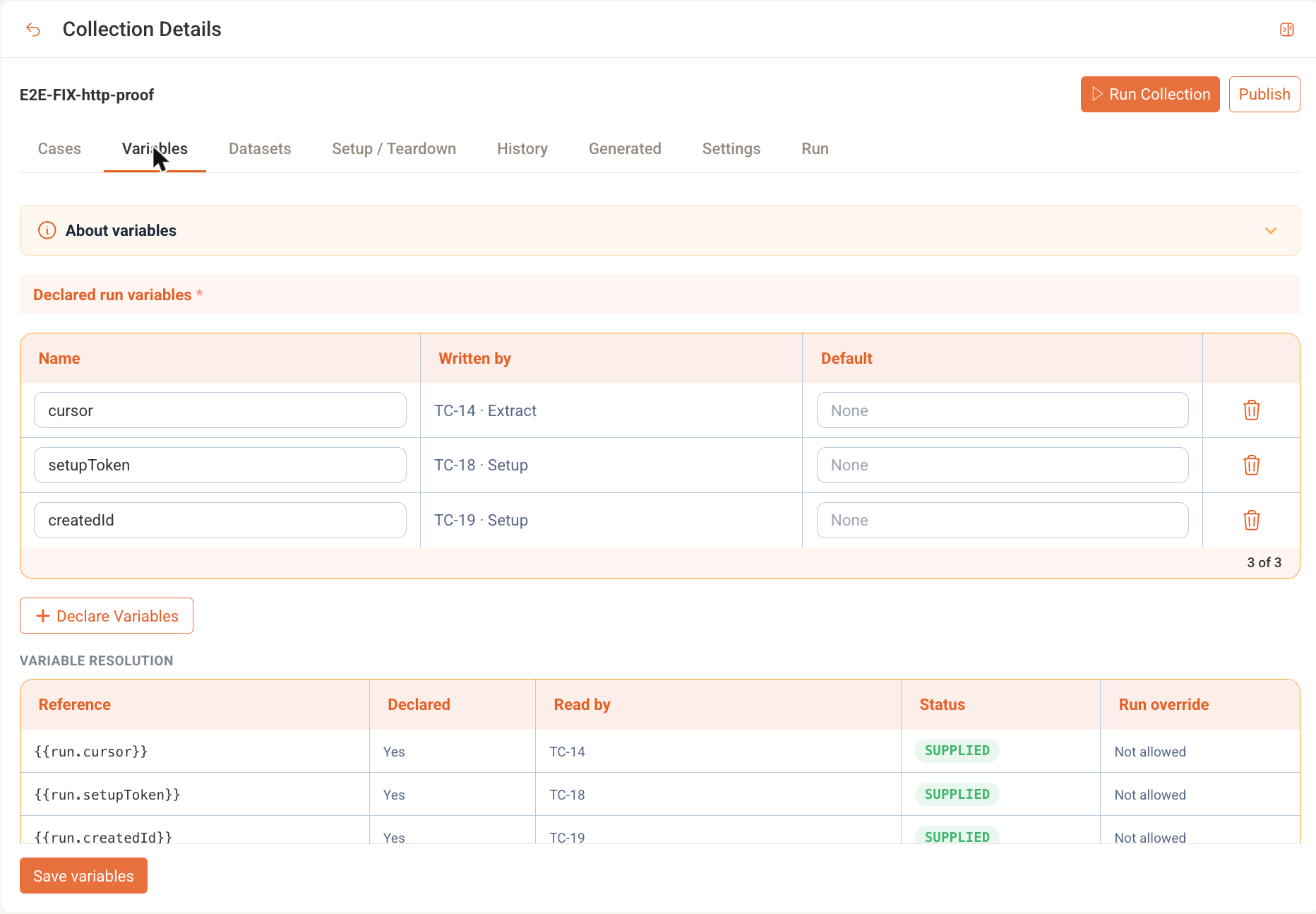
Declared run variables (Name, Written by), Declare Variables button, VARIABLE RESOLUTION table, Save variables button.
Purpose: declare {{run.x}} variables and see who writes/reads them.
| Element | Source / options | Function & result |
|---|---|---|
| "About variables" panel + REFERENCE SOURCES | — | Summary of the four reference kinds (env, run, secret, local). baseUrl is reserved. |
| Declared run variables (required) | You enter + automatic | Table with columns Name (input) and Written by (automatic, e.g. "TC-14 · Extract", "TC-18 · Setup": who writes the variable). Counter "3 of 3". Empty: "No run variables declared". |
| Declare Variables (button) | — | Adds a new declaration row (not "Add variable"). |
| Undeclared references | Automatic | Variables used but not declared → publish will fail. |
| VARIABLE RESOLUTION | Automatic | Reference table: Reference (e.g. {{run.cursor}}), Declared (Yes/No), Read by (reading cases) and so on. Used to check that every reference is declared. |
| Overrides (note) | — | Env vars and run vars without a writer can be overridden at Run; secrets cannot. |
| Save variables | — | Saves the declarations into the draft. |
| Conflict: Reload latest & re-apply my edits / Discard my edits | Appears when the revision changed | Load the latest version and re-apply your edits, or discard your edits. |
The Datasets tab
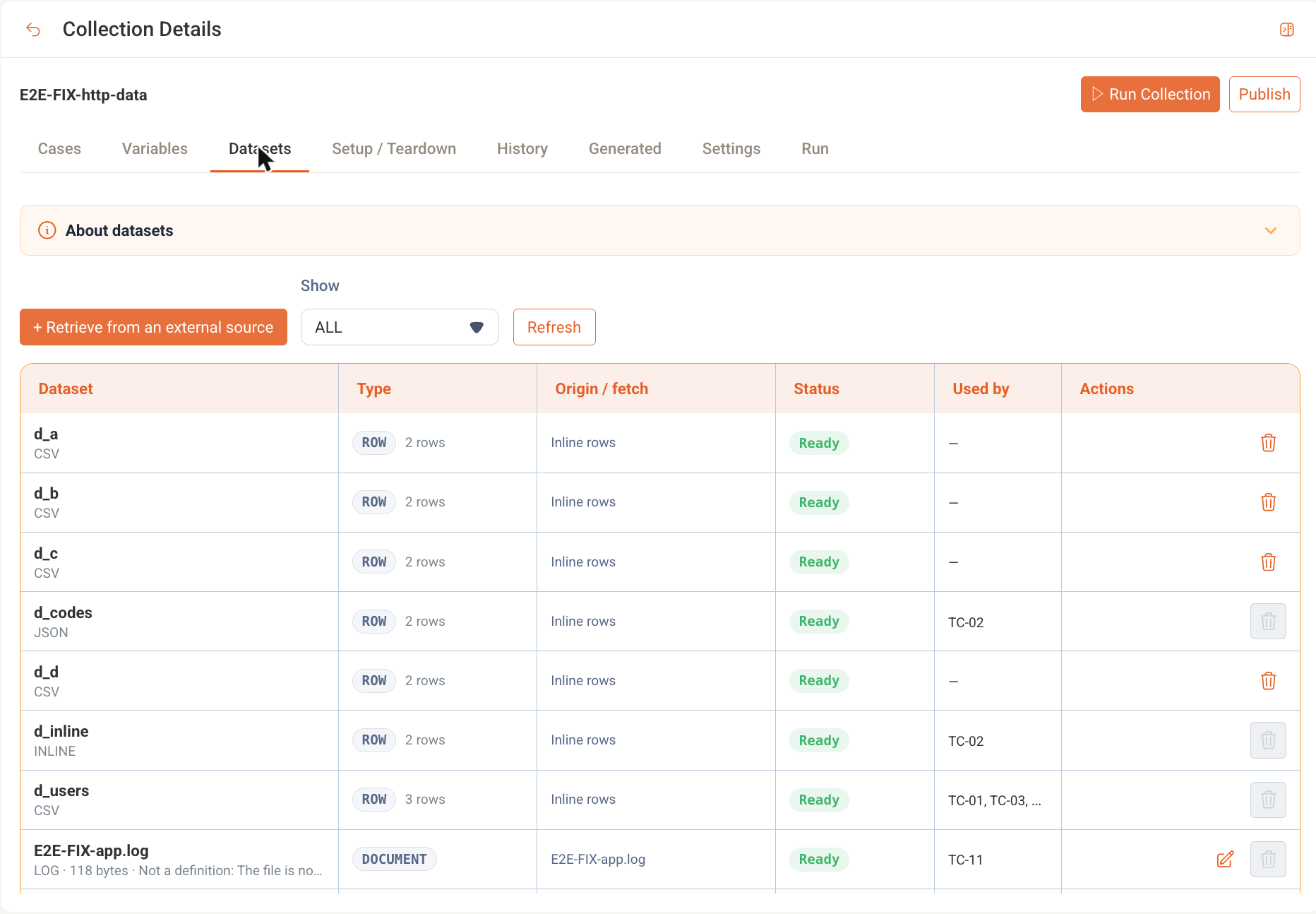
Example collection with datasets: Dataset column (name + file type CSV/JSON/INLINE) and Type column (ROW + row count).
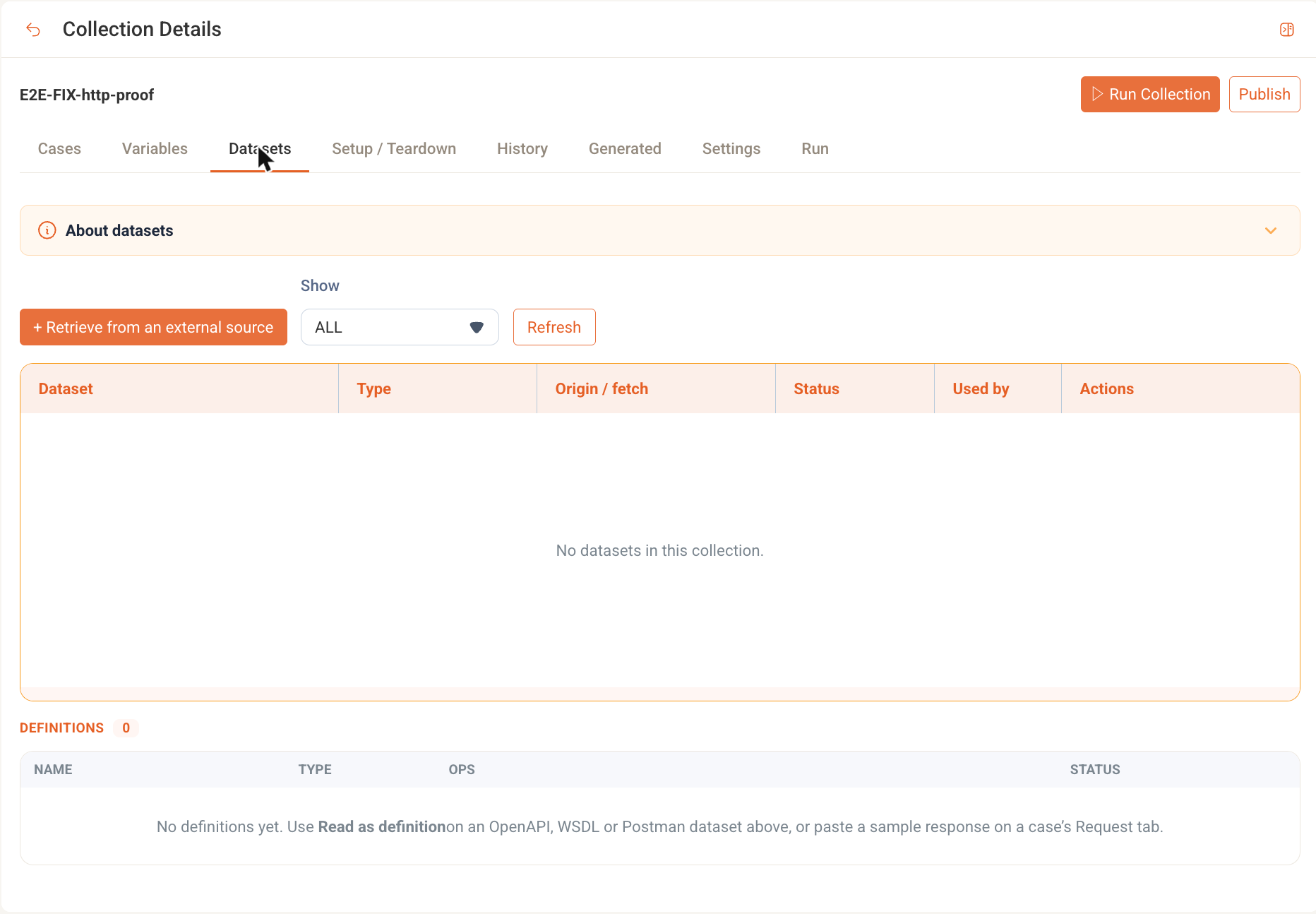
Datasets tab: + Retrieve from an external source button, Show filter (ALL), Refresh, Dataset / Type / Origin table and DEFINITIONS table.
Purpose: manage the data cases may use. This is not where you upload: files are submitted from Source → Submit to API Tests Dataset.
| Element | Source / options | Function & result |
|---|---|---|
| Dataset column | Automatic | Dataset name + file type underneath (CSV, JSON, INLINE, …). |
| Status, Used by, Actions columns | Automatic | Status "Ready". Used by = list of using cases (e.g. "TC-02", "TC-01, T…"). Actions = trash icon (delete); disabled while a case still uses the dataset. |
| Type column | ROW or DOCUMENT | ROW = data rows; DOCUMENT = text/log. File kinds: CSV, JSON, INLINE, XLSX, XLS, LOG, TXT, YAML, WSDL, XML, XSD. |
| Origin / fetch column | Automatic | Where the dataset came from: a Source file, or "Now · environment" / "During each run" when fetched from an external source. The At runtime tag = fetched every run. |
| File unavailable tag | Automatic | The source file is gone (e.g. "Source not found in this project"). |
| Read as definition / Definition / Reading… | For OpenAPI/WSDL/Postman documents | Reads the file as an API definition. The result feeds automatic assertion suggestions and field-name validation. Shows Reading… while processing. |
| Rename dataset icon | Dialog + Dataset name | Renames. |
| Delete dataset icon | Confirmation | Deletes; blocked while a case still binds it (e.g. a layout spreadsheet). |
| Retrieve from an external source (dialog) | — | Pulls a document from an outside server into a Document dataset. Fields below. |
| — Dataset name | You enter | Name of the resulting dataset. |
| — External source | From the "name · connector" list | The source used. |
| — Retrieve | "During each case's run" (RUNTIME) or "Now" | RUNTIME: the document is fetched after each request using that run's environment & variables. Now: the server fetches immediately, saves it to Source, then attaches it to the dataset. |
| — Saved command | From the commands saved on the external source | The command executed on the server. |
| — Environment (Now mode) | From the configured servers | The environment used when fetching now. |
| — Wait seconds | You enter | Delay before fetching (wait for the log to be written). |
| Show dropdown (default ALL) | Choice of view | Filters the dataset list. The Refresh button next to it reloads. |
| DEFINITIONS table (columns Name, Type, Ops) | Automatic | List of API definitions (OpenAPI/WSDL/Postman/Inferred) already read. The count is shown in the title ("DEFINITIONS 0"). |
Definitions
A definition describes an API's operations so the product can suggest assertions, check generated tests and validate field names. The DEFINITIONS table of the Datasets tab lists them with the columns Name, Type, Operations and Status; the Type is OpenAPI, WSDL, Postman or Inferred.
| Element | Function & result |
|---|---|
| Read as definition on a Document dataset | Reads an OpenAPI/WSDL/Postman file as a definition. Status goes Reading… → Definition. Empty list: "No definitions yet." |
| Open a definition | Shows each Operation with Request fields and Response fields (Path, Type, Required, Detail) and the response Success, Errors and Links. Very large definitions say "This definition is large; field details are omitted." Close definition closes the view. |
| Inferred definition | Built from a pasted sample response ("Inferred from a pasted sample response"); see below. |
Inferred definitions (Create definition from response)
In a case's Request tab, paste a JSON/XML response into Sample response and click Create definition from response. The status shows Operation · not confirmed until you confirm it. Only field names, types and your marks are kept; the response itself is not stored.
| Control | Function & result |
|---|---|
| Operation name | Name of the operation being described. |
| Fields table (Path, Type, Required, Max length, Role, Detail) | Every field found in the sample. Role marks what a field means, for example the status field, an echo of a request field (Echo of…) or a field to check (Check this field). |
| Status field + Success values, comma separated | Exactly one Status field with success values is needed before the operation can be confirmed. |
| Suggestions: Accept / Dismiss / Accept all / Dismiss all | The product suggests marks. "No suggestions pending" when there are none. Suggestions work on the saved version, so save first. |
| Read from spec sheet: Spreadsheet, Sheet, Header row, Field column (name or letter), Required column, Max length column, Read sheet | Fills Required and Max length from a spreadsheet. Name the Required column, the Max length column, or both. |
| Save changes, Confirm operation | Confirming makes the operation read-only: "Confirmed operations are read-only; paste a new sample to change one." |
| Move to definition / Stay in this definition | Asks whether to keep working in the inferred definition or move the operation into the definition list. |
| Close operation | Closes the editor. |
